Welcome to Windows 2000: The Athlon is Go

It has been a while since I have written an article about retrocomputing. In some ways, it feels weird to refer to Windows 2000 as retrocomputing. I used Windows 2000 as my go-to operating system for the majority of high school, well after Windows XP was released. And yet, it is now 22 years old.

I have a special affinity for Windows 2000 in my heart.  It’s the last version of Windows that has the true “classic” UI.  Windows XP and later do have “Windows Classic” themes, but they are still obviously tweaked.  It is new enough to run some software considered modern yet old enough to run many of the software designed for older Windows versions.  The NTVDM still supports 16-bit Windows 3.x apps, and I’ve had success running DOS applications on it as well.

But none of that can compare to the true reason I find Windows 2000 so comfortable.  Weeks before my grandfather died in 2001, he took me to his new office to show me where he worked.  He had a Windows 2000 workstation and let me unlock it and open some of his files.  It was the first time I used a computer running Windows 2000, and the last time I used a computer with him.

The Athlon: An introduction

I have a Compaq Presario 2100 laptop.  It is a surprising workhorse.  I bought one new, in 2003, and had it for many years – but I gave it away to a friend who needed a computer in 2010.  In 2019, I needed a 32-bit x86 system for testing Qt 5 and Firefox for Adélie, so I found a Presario 2100 on eBay in good condition for a good price.  It ran Adélie for a while, with Windows XP Professional in dual-boot.

This individual specimen has a 2.1 GHz Athlon XP, 1 GB RAM, and a 250 GB WD Blue disk.  It’s a perky little laptop, with enough oomph to play some great games (SimCity 4!  Midtown Madness 2!) and chomp through small builds.  The Presario 2100 is actually one of the systems I did OS development on back in the day, and I ran everything from NetBSD to Solaris to Windows Server on it at one point or another.

The only quirk I’ve noticed – which will be relevant later in this article – is that when booting Linux, the battery needs to be removed.  It doesn’t hold a charge, and the kernel’s ACPI module is angry and deadlocks if the battery is present during initialization.

Installing the Windows 2000.

I inserted my Windows 2000 CD and proceeded through installation.  It took over two hours to perform the “hardware detection” phase, which struck me as odd.  About 20 minutes in, I turned the system off and back on as I was hoping that would help it along.

The GUI was slow and nearly unresponsive. It took multiple seconds to draw simple controls. And installation, in all, took almost four days to complete. When restarting, it was very slow to boot as well. I was concerned there may be a fault somewhere – perhaps the CPU was failing. However, Windows XP still worked fine.

I used the debug logging facility of NTLDR and found it slowed when ACPI.SYS was loaded. I removed the battery and rebooted Windows 2000. It was instantaneous. As it turns out, the Windows 2000 ACPI driver was having the same issue as Linux. After upgrading to SP4, I was able to boot with the battery inserted without issue, so the issue has been worked around in a patch.

You’ve come a long way, baby.

The next step was installing the drivers for all of the hardware. The modem, network adaptor, and display adaptor were simple and worked just fine.

I installed the official Broadcom wireless drivers from HP’s Web site. It worked, but only supported WEP and WPA networks. My network is, of course, WPA2. I found this fantastic backport of the Vista driver to older Windows versions. I installed it, and then installed the Boingo Wireless client for a front-end. To my surprise, the laptop works flawlessly joined to a VLAN on my dd-wrt powered Linksys WRT3200ACM. This allows me access to some internal resources on my network – most importantly, a micro HTTP server on my laptop where I can stage patches and file downloads from the Internet.

Boingo Wireless, happily running WPA2 on Windows 2000

At some point, I do think it would be an interesting project to set up a proxy server and allow the laptop limited access to the real Internet.  It will require a lot of research to ensure full security.

And now for the fun!

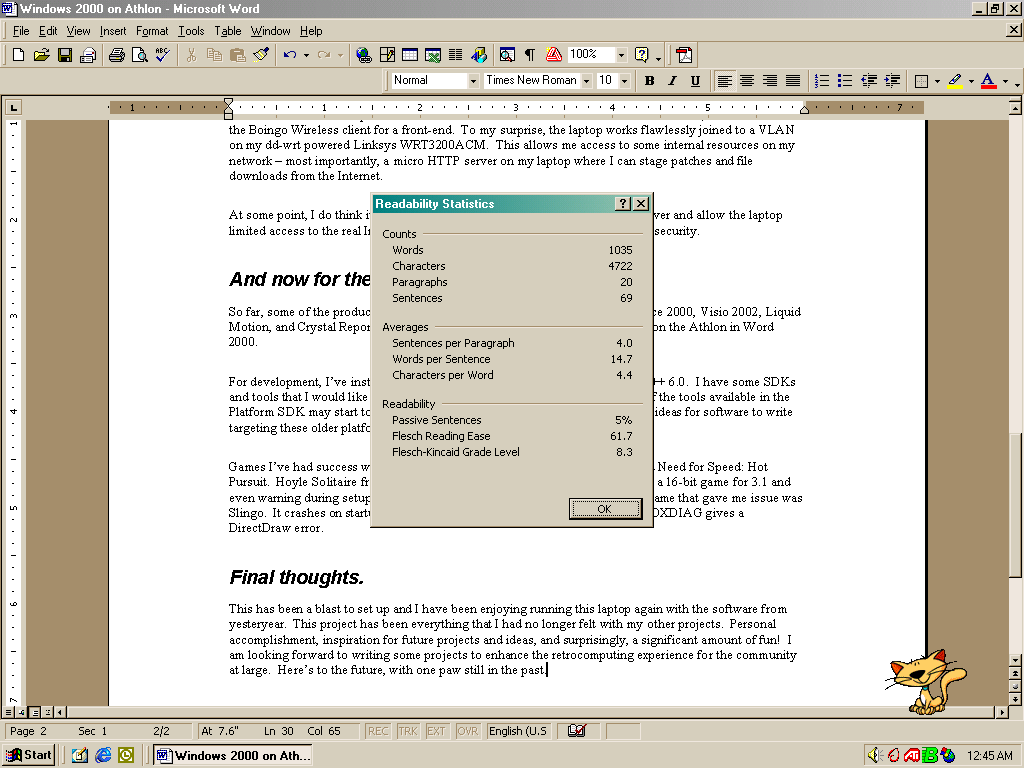
So far, some of the productivity software I’ve installed includes Office 97, Office 2000, Visio 2002, Liquid Motion, and Crystal Reports.  In fact, this blog article has been written entirely on the Athlon in Word 2000.

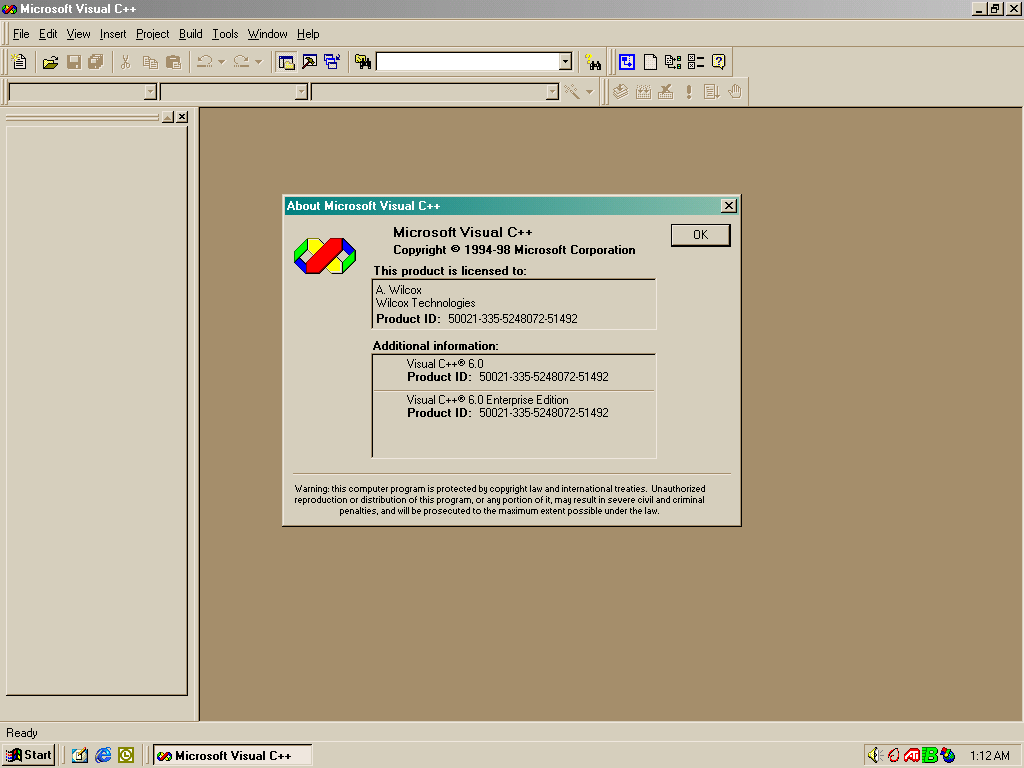
For development, I’ve installed Visual Studio 6.0 Enterprise including Visual J++ 6.0.  I have some SDKs and tools that I would like to add, but I haven’t found a lot of time yet.  Some of the tools available in the Platform SDK may start to be useful to me soon.  I am definitely having strong ideas for software to write targeting these older platforms.

Games I’ve had success with include Hasbro’s Yahtzee, Chessmaster 7000, and Need for Speed: Hot Pursuit. Hoyle Solitaire from Sierra On-Line also runs flawlessly despite being a 16-bit game for 3.1 and even warning during setup that “Windows NT has not been tested”. The only game that gave me issue was Slingo. It crashes on startup, before the intro screen, and running the included DXDIAG gives a DirectDraw error.
Final thoughts.

This has been a blast to set up and I have been enjoying running this laptop again with the software from yesteryear.

This project has been everything that I had no longer felt with my other projects. Personal accomplishment, inspiration for future projects and ideas, and surprisingly, a significant amount of fun!

I am looking forward to writing some projects to enhance the retrocomputing experience for the community at large. Here’s to the future, with one paw still in the past.

Fixing a 20 year old laptop, part 1: We know what is working

Some of you may have noticed that I Tweeted a few weeks back about my trusted Pentium III laptop having some pretty massive failures.

I decided to drag it out last night and see how it was going. Maybe it could be better after a rest…?

Bug Check c0000218. Not better, but worse.

It had a new bug check, STOP 0xc0000218. The SOFTWARE registry hive, where Windows 2000 keeps its HKLM\Software keys, is now apparently corrupted. This is significantly worse than before, when it was randomly having Kmode exceptions during use.

I asked one of my retrocomputing buddies that knows a lot about older Windows versions — my mother — who suggested booting to Safe Mode and trying to defragment. Safe Mode runs only on the SYSTEM hive, so the SOFTWARE corruption isn’t an issue. Apparently sometimes Windows can get very angry if the SOFTWARE hive is fragmented, because it has to load entire sectors in the boot environment.

Safe Mode was not quite the joy I had hoped for.

Always a bug check in win32k.sys on this one.

I tried to boot the Windows 98 partition, wondering if perhaps it could at least serve as a sentinel of any hardware issues.

It claimed various system files were no longer present. It still seemed to work, other than some networking functions. I used ScanDisk, which found no errors in the FAT nor surface errors. Onward to the memory diagnostic. I used a Vista-era Windows Memory Diagnostics boot CD that I had laying around from 2008 and ran two passes of the basic test and a single pass of the extended test.

Succeeded!

No errors were found. Unfortunately, this leaves me in an unenviable place: from all I can tell, the hardware is fine, but multiple operating systems are failing to boot properly. Additionally, the computer refused to boot Windows install media at all.

At some point, I will pull my Windows XP laptop out and try to use WinDbg to find out what I can from the bug check screen. Hopefully I can remember how to do that. Until then, Erin (the Armada) will unfortunately remain unusable.

The Pandemic Nightmare

Note: Typically, I don’t publish or discuss my dreams publicly. This one, however, I felt compelled to share.

I walk through the aisles of the Target store in Tulsa. (For those who live locally: 71st and highway 169.) It’s 11:35 AM, March 20, 2030 according to my iPhone. I push the cart down towards the pharmacy section. I put a bottle of Tylenol in the cart for my mother, who is at home. Then, I amble towards the counter.

The line is extremely long. There are about a dozen people in front of me. Some have carts, some do not. One is holding a basket with a vitamin bottle in it. The people filing out are repositioning their N95 masks. The line moves at a decent pace, about one person per minute.

Finally, it is my turn. A short Cherokee woman, about 5’4″ with long brown hair with blonde highlights, asks in a small voice, “what will it be for you today?”

She shows me a small printed menu. Chamomile, lavender, peppermint, honey, rainforest, spring blossom, … ah. There it is. Cinnamon bread.

“Cinnamon bread”, I politely respond.

“30 seconds for 4.00$, 60 seconds for 8.00$, or we can do the premium package for 10$.”

“Premium package?” I ask, being quite unfamiliar with more options than just duration.

“The scent will surround your whole body, instead of just being a scratch and sniff card,” she replied. “It’s an aerosol spray. You can turn around in the chamber for the entire duration, which will be 60 seconds.”

A full 60 seconds in the chamber… with the scent around my entire body, not just in a scratch and sniff card? How exciting!

“I would love the premium package. Can I still tap and pay with Apple Pay?”

“Yes, ma’am. Of course you can. Just tap, then follow me.”

I tap my iPhone against the reader, then walk behind the counter, leaving my cart in the waiting area. She leads me to a small chamber made of clear plexiglass. It’s just big enough for someone of my size. Next to it, there is a chamber that would be more suited for heavier set people.

She opens a small hatch and I stand inside. She closes the door. I take my N95 off. The smell rains down from the ceiling. I twirl around, closing my eyes and feeling warm and happy. I almost begin to dance, my arms flailing in slow, rhythmic movements as I breathe in deeply.

There is a slight ding. The scent stops. I walk out and take a quick gasp before putting the N95 back on. The inside of a Target store still smells how I remember it.

I look at the woman and quickly apologise. “I’m sorry, I know the mask has to go on as soon as the door is open, I just…”

“Don’t worry about it. Most of my customers enjoy the smell of the store, some more than the scent chamber itself.”

Just then, I see two uniformed Tulsa Police officers walking up the main aisle. I quickly run to my cart.

“Everyone hold it,” one of the two officers shouts. He’s a stern looking man in his 40s with visible stubble and a head suit covering his hair. His partner is younger, with thick glasses and a machine gun carried on his back.

The officer looks at the woman behind the counter. “Picking up a prescription, sir?” she asks, timidly.

“Ma’am, we have reason to believe you are running an illegal scent shop here. You know President Cornyn outlawed the sense of smell in 2029.”

“This is a pharmacy counter. That’s all!”

“Why is everyone fidgeting with their masks, then?”

I try to push my cart into the main aisle, towards the grocery section. The younger officer sees this, and immediately takes out his machine gun and points it at me. “HALT!”, he shouts.

“I just wanted to finish my grocery shopping,” I say in a breaking voice as I begin to cry. I reflexively put one hand to my head, desiring to survive this encounter. I use the other to hit the Emergency button on my iPhone, to clear all data from the past 10 minutes so they can’t use it to determine what I was doing.

“What were you doing at this counter?”

“I was… asking where the minerals and supplements were.”

“Then why were you going the opposite direction? Alright, hold it ma’am, you’re under arrest for suspicion of smelling!”


I awaken to my alarm. The sun is peeking out through the blinds of my window, and I can faintly hear Mum watching TV in her room.

This pandemic cannot end soon enough.

Compaq LTE 5150: Adventures in Tri-booting

My plans for setting up a Retro Lab are finally coming to fruition, and this article is being written live on my tablet as I set up the first computer as I want it to be!

The computer in question is a portable computer from the Compaq LTE 5000 series, the 5150. (No relation to the IBM PC.) Released in September 1995, it features a Pentium professor at 100 MHz, 40 MB RAM, a quad-speed TEAC CD drive, an 11.3″ CSTN panel, Infrared, and an upgraded 6 GB IBM TravelStar hard disk drive.

Additionally, I own the MultiBay ISA docking station. This adds a high-quality 2.1 channel speaker system, NE2000 Ethernet adaptor, and SVGA connector. I plan on using an external monitor for games. However, the portability of this machine means I can take the Retro Lab on the road!

The plan.

My plan for this computer is to tri-boot MS-DOS with Windows 3.1, Windows NT 3.51, and OS/2 Warp.

A 2 GB C: drive will have DOS and 3.1. A 2 GB D: drive will have OS/2. The remaining space will contain NT.

Implementing the plan.

My LTE 5150 does not have a working floppy disk drive, and it was released before the “El Torito” standard allowed for booting from CDs. This means it can only boot from the hard disk. How to install an OS, then, if it means the disk needs to be erased?

My solution: put the hard disk in another computer, set it up, then put it back in the LTE!

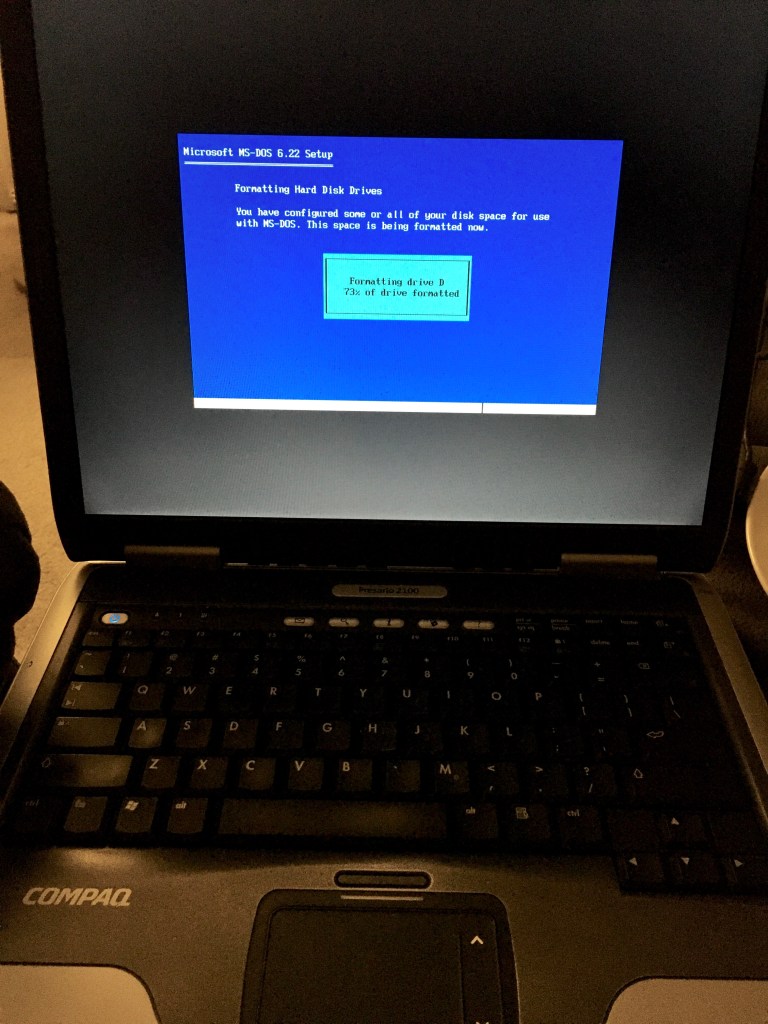
MS-DOS 6.22 set up running on an Athlon XP

I chose my Compaq Presario 2100 for installation tasks. It has a USB floppy disk drive that the BIOS is capable of emulating as a built-in one. DOS doesn’t even know the difference.

Windows for Workgroups 3.11 with standard VGA and EtherLink III drivers (the PCMCIA card I have) was simple to install from MSDN CD.

I have long read the NT should always be installed before OS/2, so that was next. Booting MS-DOS, I inserted the Windows NT Workstation CD-ROM and ran WINNT /B /X. This ensures that Windows NT copies boot files to the hard disk drive, removing the need for floppy disks. Once the file copy process was complete, I swapped the drive back in to the LTE 5150 so that Windows NT Setup would detect the proper hardware.

The plan goes awry.

I selected the E: partition and told Windows NT to format the drive. While formatting the drive, the display suddenly developed lines and streaks in it. This is disaster #1:

Display with black vertical lines.

It copied the files successfully though, so the computer restarted to load up NT and then… disaster #2:

Boot loader signature AA55 not found (DC23 found)

I removed the CPU cover from the laptop and ensured the display connections were tight. Turned on the system while open and it was still not working properly. I asked my Mum, an electronics expert in her own right, if she had any ideas. She suggested messing with the grounding wire which worked. The display is restored to normal working order!

Unfortunately, the boot loader signature error persisted. I decided to use the NT disk setup to remove the D: and E: partitions and recreate them. This made it worse – now setup reported that “Drive C: cannot be examined”, and the computer presented a boot loop, booting directly into NT setup when rebooting. This is because $LDR$ has replaced NTLDR. This meant putting the hard disk drive back in the Athlon XP for some work involving boot floppies and CDs…

A simple SYS A: C: from a DOS floppy was enough to repair it enough to be bootable.

1 of 3

With my holiday break having just hours remaining, I gave up on NT and OS/2. I likely won’t be able to have any time for deep dives again until the Memorial Day weekend in May, so I need to make my time count.

I still have plenty of things I want to do with Windows 3.1, so I am going to just be happy with that.

Installing the audio drivers proved the most difficult. The SoftPAQ (SP2307) really wants to be installed from floppy. Extracting the files to the hard drive didn’t work at first. It turns out that what is needed is to extract the files from disk one to \ESS_1 directory and disk two to \ESS_2. Then running CPQINST from \ESS_1 worked for me.

Lotus Organizer 2.1 running on the Compaq LTE 5150

I already have Lotus Organizer, Corel DRAW 5, and Quicken SE installed. There are some games I plan on installing, including some of my fav Sierra titles, a few Trails (Oregon Trail, Yukon Trail, Amazon Trail – all CD editions!), and perhaps a Carmen Sandiego or two.

Overall, this laptop has been a blast to play with, but I am disappointed that I couldn’t get NT going.

Et tu, OS/2?

As a footnote: It looks like it isn’t a good idea to install OS/2 on a donor computer (like the Athlon XP), and I don’t believe it can be installed without booting off the floppies. Therefore, it is likely to be physically impossible to install.